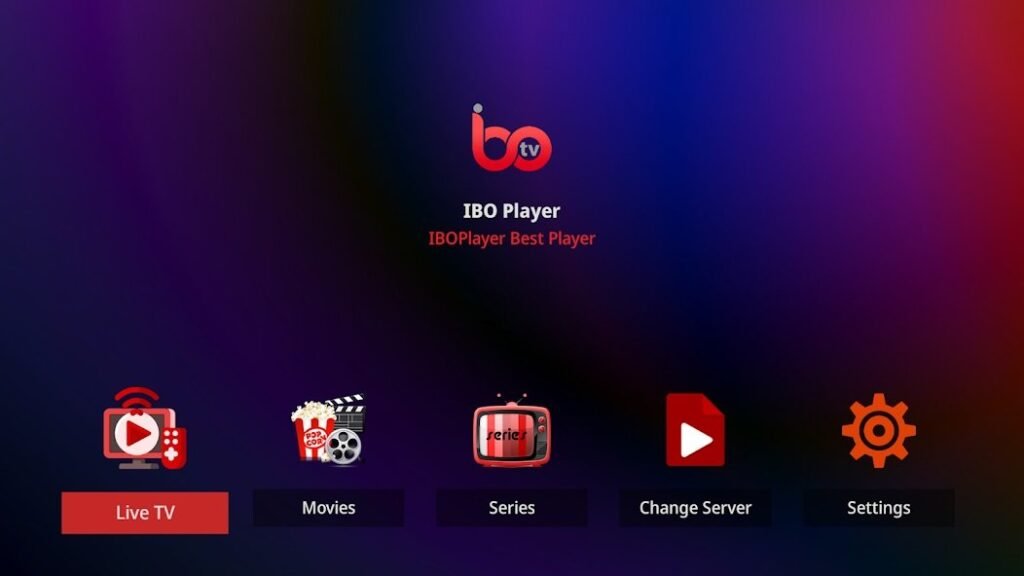
Advanced features of IBO Player that you should know about
The modern IPTV world offers numerous apps that can revolutionize your everyday TV viewing, but not all of them deliver as comprehensive a user experience as IBO Player. With its innovative features, user-friendly settings and broad compatibility, IBO Player clearly stands out from the competition. In this article, we will go into detail about all the advanced features that you as a user should know in order to utilize the full potential of the app.
1. full support for M3U and Xtream codes
IBO Player offers full support for the most popular formats in the IPTV sector:
M3U playlists
- Allows you to easily add IPTV channels and content by uploading an M3U file or URL.
- The app can manage multiple playlists simultaneously, giving you the flexibility to combine content from different sources.
Xtream codes
- This format makes it even easier to set up, as you only need to enter your user name, password and server URL.
- Xtream codes are ideal if you want to access specific content or providers directly.
Pro tip: Set frequently used playlists as favorites for quick access.
2. electronic program guide (EPG): Your personal TV assistant
A major advantage of IBO Player is the comprehensive electronic program guide (EPG).
- Overview: See at a glance what is on all channels and which programs are coming up next.
- Planning: Set reminders for your favorite shows so you don't miss anything.
- Individual customization: You can update the EPG manually or synchronize it with your playlist.
Advantage: The EPG saves time and offers you a clear display of your favorite programs.
3. multi-screen function for parallel streaming
IBO Player offers a multi-screen function that allows you to watch several streams at the same time.
- Possible applications:
- Follow several sporting events at the same time.
- Family members can view different content without having to switch between devices.
- Technical requirements: This function requires a stable Internet connection and a powerful device.
Note: The multi-screen function is ideal for households with diverse interests.
4. cloud synchronization: content available everywhere
Cloud synchronization allows you to synchronize your playlists and settings across multiple devices.
- Unique facility: Configure your content on one device and it is immediately available on all other devices.
- Flexibility: Switch seamlessly between your smartphone, smart TV or tablet.
Tip: Activate the cloud function in the settings to always have your content to hand.
5. advanced customization options for the user interface
IBO Player gives you the opportunity to customize the user interface according to your wishes:
- Themes and designs: Customize the look of the app with different color schemes and designs.
- Layout: Organize channels and categories in a structure that works best for you.
- Streaming settings: Set the video quality to Auto, HD or 4K, depending on your internet speed.
Advantage: The customizable interface makes using the app even more convenient.
6. support for subtitles and multiple audio languages
IBO Player is ideal for an international audience:
- Subtitle: Load external subtitle files (.srt) or use automatically available subtitles.
- Audio languages: Switch between different audio tracks if content is available in several languages.
Pro tip: Use subtitles to better understand foreign-language content or to compensate for hearing impairments.
7 Security and data protection: streaming without worries
IBO Player offers several features to ensure your security and privacy:
- VPN support: Use a VPN service to disguise your IP address and bypass geographical restrictions.
- Childproofing: You can use a PIN lock to protect certain channels or content from unauthorized access.
Note: VPN services not only increase security, but also improve your streaming experience by allowing access to blocked content.
8. offline playback and downloads (premium function)
In the premium version of IBO Player, you can also save content offline:
- Advantages: Download movies or series to watch them later without an Internet connection.
- Storage options: Select the storage quality depending on the available storage space.
Tip: This function is ideal for traveling or when you are in regions with a poor Internet connection.
9. regular updates and strong customer support
The developers of IBO Player are constantly working to improve the app.
- Updates: Regular software updates ensure new functions, improved stability and bug fixes.
- Customer support: The support team is easily accessible and offers quick help with technical problems.
Recommendation: Activate automatic updates to always use the latest version of the app.
10. ad-free use with the premium version
While the free version of IBO Player occasionally contains ads, you can enjoy a completely ad-free experience with a premium upgrade.
- Additional advantages of the Premium version:
- Faster loading times.
- Access to exclusive features such as extended playlist management and download function.
Tip: If you use IBO Player on a daily basis, the Premium version is a worthwhile investment.
Conclusion: Why IBO Player is the ideal IPTV solution
IBO Player's advanced features make it one of the most powerful and flexible IPTV applications on the market. From multi-screen streaming to cloud synchronization and customization, IBO Player offers everything you need for a modern and convenient streaming experience.