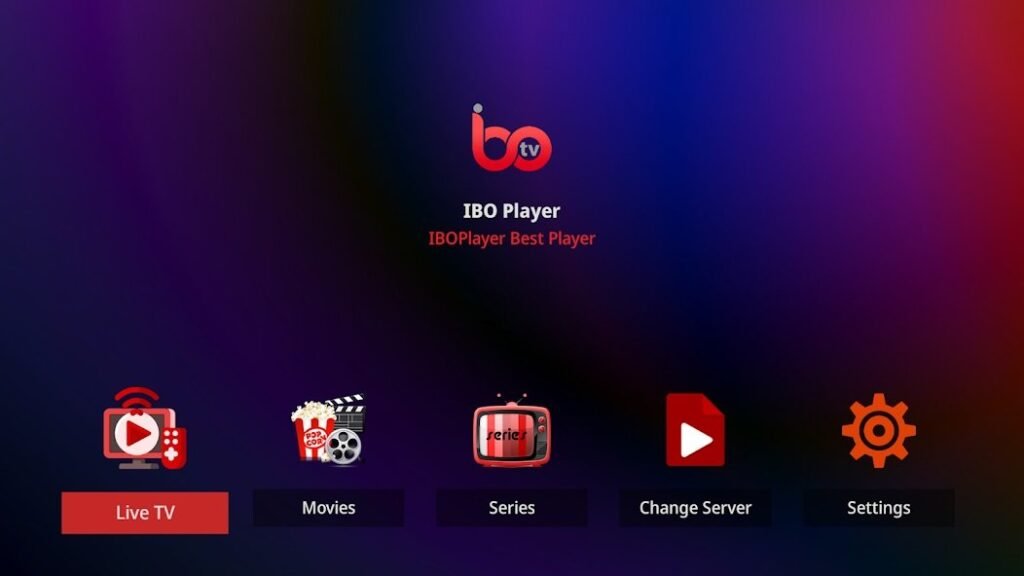
The IPTV player IBO Player is becoming increasingly popular as it allows users to stream their favorite shows, movies and live TV channels directly over the Internet. However, many people are wondering whether it is necessary or advisable to use a VPN (Virtual Private Network) when using IBO Player. In this article, you will find out why a VPN can be a useful addition and what advantages it offers.
What is a VPN and how does it work?
A VPN is a digital network that encrypts your internet connection and routes it via a secure server. This hides your IP address and anonymizes your online activity. A VPN protects your privacy and provides additional security, especially when you connect to insecure networks such as public Wi-Fi hotspots.
Reasons why you should use a VPN with IBO Player
1. protection of your privacy
If you use IBO Player without a VPN, your internet connection is unencrypted. Your internet provider and potentially third parties can see what content you stream and which websites you visit.
- Anonymity: With a VPN, your IP address is masked and your activities remain private.
- Encryption: The data transmitted between your device and the VPN server is fully encrypted.
💡 Tip: Choose a VPN with a strict no-logs policy to ensure that your data is not stored.
2. circumvention of geographical barriers
Some IPTV services and content are not available in certain regions.
- Activation of international content: With a VPN, you can change your virtual IP address and access content that is normally blocked in your region.
- Travel advantage: If you are traveling abroad, you can still access your favorite IPTV listings by connecting to a server in your home country.
3. avoidance of bandwidth throttling
Internet service providers sometimes intentionally throttle bandwidth when they detect that you're doing data-intensive activities like streaming.
- Stable streaming: With a VPN, your provider cannot detect that you are streaming, which keeps the bandwidth stable.
- Better quality: The result is less buffering time and consistently high streaming quality.
4. security in public networks
If you use IBO Player in a public WLAN network, you are particularly vulnerable to cyber attacks.
- Protection against hackers: A VPN encrypts your connection and protects your data from unauthorized access.
- Malware protection: Many VPN providers offer additional security functions that protect you from phishing and malware attacks.
5. access to blocked IPTV lists
Some networks block access to certain IPTV lists or streaming URLs.
- Bypassing locks: With a VPN, you can bypass these restrictions and continue to enjoy your favorite content.
- Stable connection: A VPN ensures smooth access to the desired playlists, even if network blocks are in place.
What happens if you don't use a VPN?
If you do not use a VPN, the following problems may occur:
- Restricted access: You may not have access to certain IPTV content, especially if it is geographically restricted.
- Data security: Your internet activities are potentially visible to your internet provider and others.
- Streaming problems: Possible bandwidth throttling by your provider can lead to poorer streaming quality.
- Higher risk of cyber attacks: In public networks, your data is vulnerable to hacker attacks without a VPN.
What should you look out for when choosing a VPN provider?
Not all VPN services are equally good. Here are some criteria you should pay attention to:
- Speed: A fast connection is essential for smooth streaming.
- Server locations: A broad network with servers in different countries enables better access to content.
- Security protocols: Pay attention to modern encryption standards such as AES-256.
- Ease of use: An intuitive user interface makes it easy to use.
- Compatibility: Make sure that the VPN is compatible with IBO Player and your devices.
💡 Recommendation: Providers such as NordVPN, ExpressVPN and CyberGhost offer good options for IPTV streaming with a fast connection and a high level of data protection.
How do I set up a VPN for IBO Player?
- Select VPN provider: Download the App of the desired VPN provider.
- Install VPN: Follow the installation instructions on your device.
- Select server: Connect to a server location of your choice.
- Start IBO Player: Open IBO Player and enjoy secure and unrestricted streaming.
Conclusion: Is a VPN necessary for IBO Player?
A VPN is not absolutely necessary, but it offers numerous advantages. It protects your privacy, allows access to blocked content and ensures a stable streaming connection without bandwidth throttling. If you want to get the most out of your IPTV experience with IBO Player, using a reliable VPN service is a sensible decision.