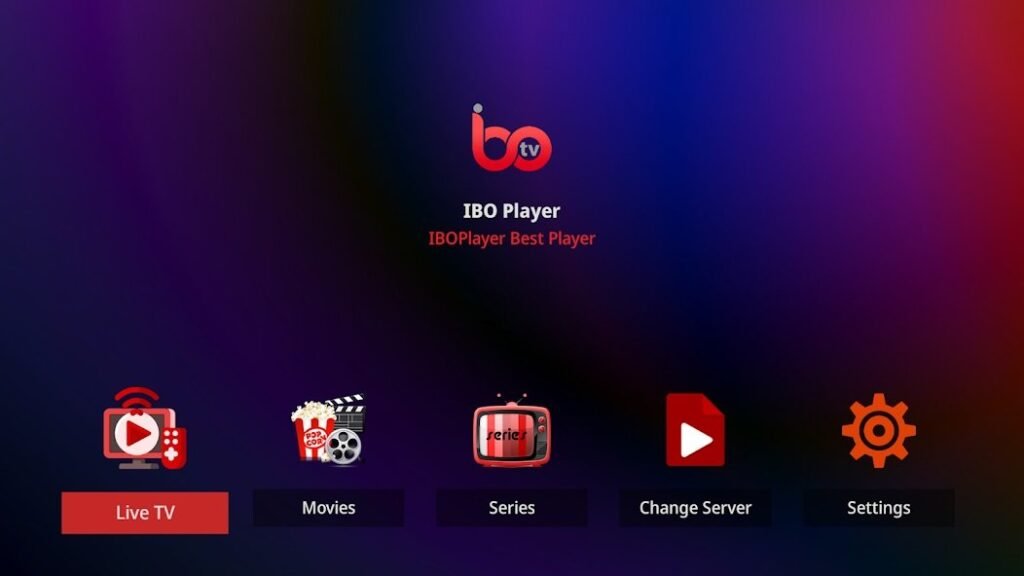
Streaming content to smart TVs is becoming increasingly popular, and apps like IBO Player make this experience even better. IBO Player offers a variety of features specifically designed to meet the needs of smart TV users. In this in-depth guide, you'll learn why IBO Player stands out from other IPTV apps and why it's the ideal choice for smart TVs.
1. customized user interface for Smart TVs
The IBO Player user interface has been specially optimized for use on large screens.
- Simple navigationAll menus and options are clearly arranged so that you can easily navigate through the app with a remote control.
- Customizable surfaceUsers can customize the colour scheme, the size of the channel lists and the arrangement of the content.
- Perfect scaling: Content and text automatically adapt to the screen size of your Smart TV, making operation even more intuitive.
2. streaming in breathtaking quality (HD and 4K)
IBO Player supports high-definition streaming to get the most out of your Smart TV.
- Smooth playback: Even with HD and 4K content, the app ensures stable performance without buffering times.
- Optimization for large screensColors and contrasts appear particularly vivid on Smart TVs, which significantly improves the streaming experience.
- Dolby sound compatibilityIf your TV system has Dolby Audio, you can enjoy the perfect sound for your HD pictures.
3. flexible playlist management
One of the greatest strengths of IBO Player is the simple integration of playlists.
- M3U URL support: Use the playlist of your IPTV-provider to access live TV, movies and series.
- Manage multiple playlistsYou can add multiple playlists and switch between them without having to restart the app.
- EPG integrationElectronic Program Guide (EPG) allows you to view the current TV program as well as future programs.
Tip: Make sure that your playlist is updated regularly so that you can access new content.
4. multi-screen and split-screen functions
IBO Player takes the streaming experience to a new level with advanced features such as multi-screen and split-screen:
- Multi-screen modeWatch multiple channels simultaneously - ideal for sports fans who want to watch different games at the same time.
- Picture-in-picture functionStream your favorite show while you browse other content or read the news.
- Flexibility for multiple users: Different family members can view different content at the same time.
5. easy setup and activation
IBO Player makes it particularly easy to set up the app on your smart TV:
- Step 1: Download
Download the app from the app store of your Smart TV (e.g. LG Content Store or Samsung Smart Hub). - Step 2: Activation
After starting the app, you will receive a device ID that you can register on the official IBO Player website. - Step 3: Upload playlist
Add the M3U URL of your IPTV provider and you are ready to stream your favorite content.
6. security and data protection for Smart TV users
As smart TVs are constantly connected to the Internet, protecting your data is important. IBO Player offers comprehensive security functions:
- No storage of personal dataYour playlists and access data are only stored locally on your device.
- Compatibility with VPN servicesProtect your privacy and bypass geographical restrictions by using a VPN service.
- Regular updatesKeep your app up to date to avoid security vulnerabilities.
7. ease of remote control and user comfort
IBO is ideally designed for use with a TV remote control.
- Direct access to important functionsQuick selection buttons can be used to call up favorites, change channels or open the menu.
- Voice Control (for supported TVs)Some Smart TVs offer voice control, which you can also use with IBO Player.
- Create favorites listsSave frequently used channels or content for quicker access.
8. advanced functions for the best streaming experience
IBO Player offers additional functions that make streaming on smart TVs even more enjoyable:
- Subtitle supportActivate subtitles or switch between different audio channels.
- Time shift functionWatch live TV programs time-shifted by rewinding or pausing.
- Category filterSort channels by topics such as news, sports, entertainment or children's programs.
9. cost savings through IBO Player
With IBO Player you do not need any additional hardware such as IPTV receivers or set-top boxes.
- Directly on the Smart TVThe app works on many popular TV brands, including Samsung, LG and Sony.
- No monthly costsApart from the license for IBO and the fees of your IPTV provider, there are no additional costs.
10. why IBO Player is the perfect choice
IBO is not just an IPTV app - it's a complete solution for modern streaming. The combination of easy setup, advanced features and the ability to enjoy the highest quality content on your smart TV makes it the ideal choice for any streaming fan.
Conclusion: If you are looking for a reliable, secure and user-friendly IPTV solution for your Smart TV, IBO Player is the right choice. Download now and take your streaming experience to the next level!